 Quadsheet
Four boxes.
You name them.
A project tracker that works like the paper quad grid it replaces. One sheet, four boxes you label yourself, one thing marked next in each, and a fresh sheet each morning if you want one.
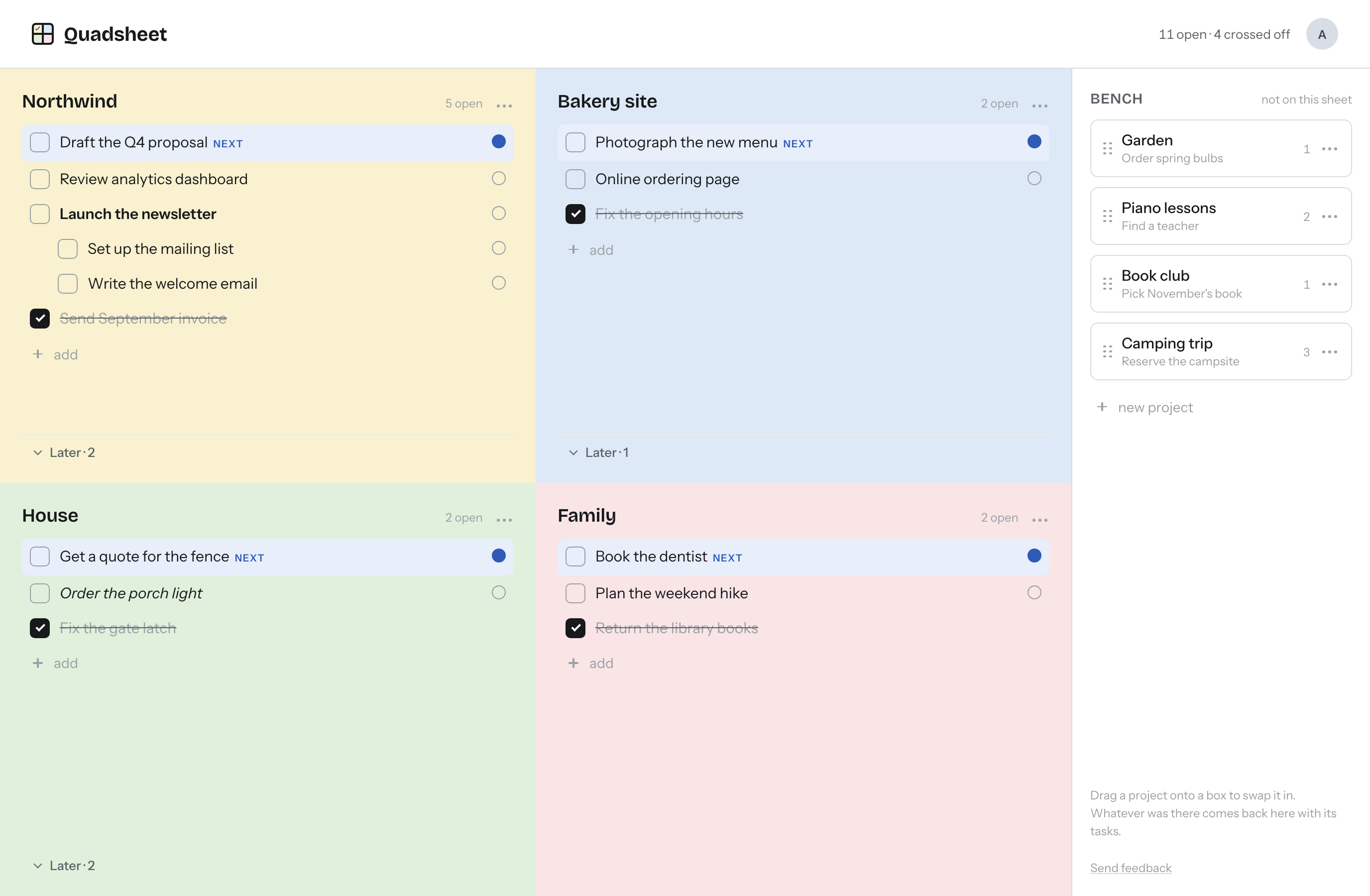
Name the boxes
A client, the house, the kids, a side project. Whatever your week is actually divided into. No imposed categories, no urgent versus important.
Mark one thing next
Each box has at most one task marked next. Marking another clears the last one. Four boxes, four next things, and that is the plan.
Start fresh each morning
Cross things off all day. The next morning the sheet asks whether to put them away. Say yes and they go to history, by day, where you can always look them up. Open tasks stay right where they are.
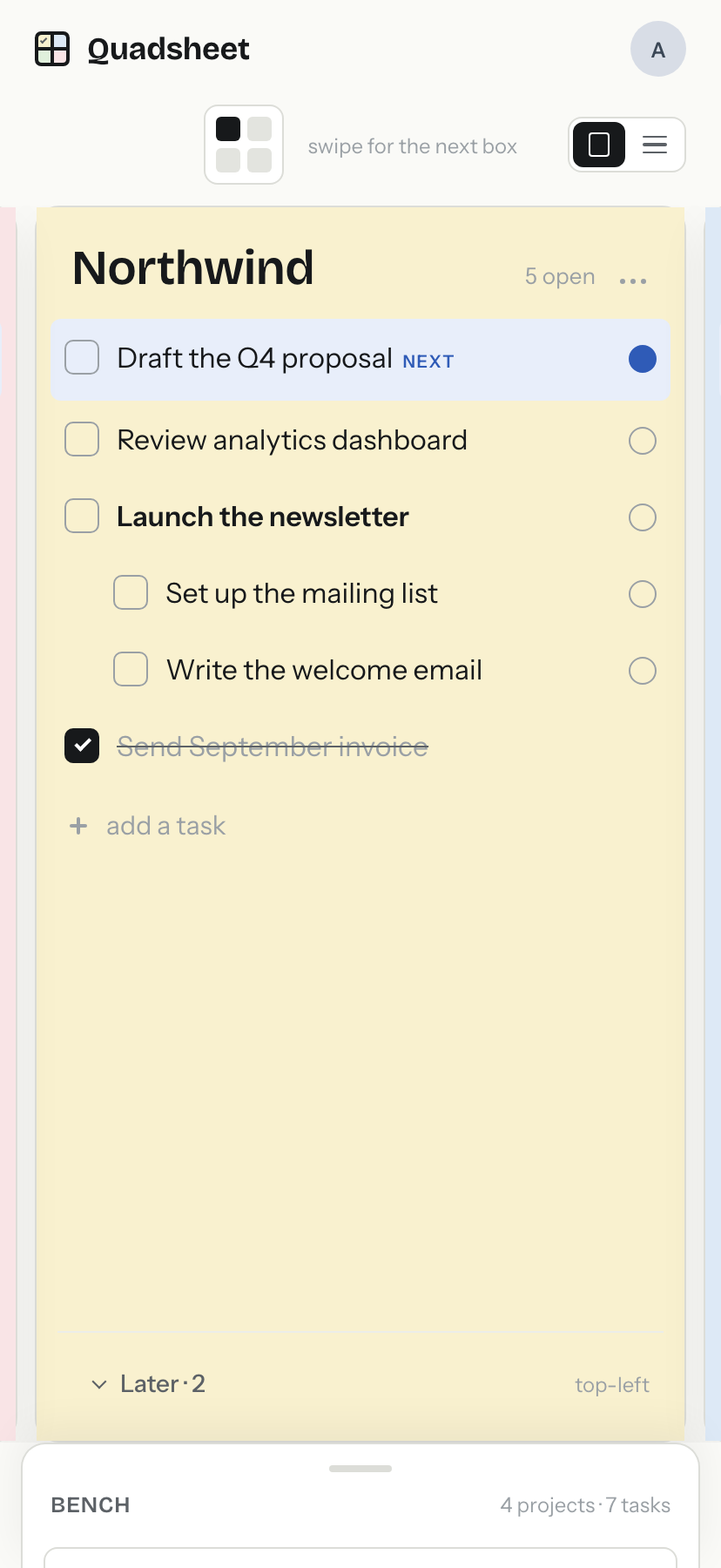
One box at a time on your phone
Swipe between the four boxes, or stack them in one scroll. Tap the dot on any task to make it next. Projects that are not on the sheet wait on the bench with their tasks intact.
Sign in with Apple, Google or an email link. No password, ever. It syncs between your phone, your tablet and the web.
Free is the whole habit. Plus is what paper cannot do.
The sheet, the boxes, next, the bench, the morning reset and history are free for good. Plus adds the things a paper grid never could.
Free $0, always
Everything you need to run your week the paper way.
- One sheet, four boxes you name yourself
- One task marked next in each box
- Sub-tasks, a later pile, bold and italic
- Drag tasks between boxes, or to the bench
- A bench for projects not on the sheet
- Start fresh each morning: crossed-off tasks go to history, open ones stay put
- History: everything you crossed off, by day
- Pastel box colors, if you like them
- Sync between phone, tablet and the web
- Sign in with Apple, Google or an email link. No password
- Widgets showing your four next tasks coming
- Keyboard shortcuts on the web coming
Plus $3 a month or $15 a year, 14-day trial
For sharing a box with someone, and for running more than one sheet at once.
- Shared boxes: share one box with someone by email. It shows up on their sheet, in the spot they choose, edited by both of you
- Templates: save your four labels and colors and lay out a sheet from them in one tap
- More than one sheet, work and home, say, with a switcher in the header
- Print or save the sheet as a PDF, one page, for the fridge coming
Plus is not on sale yet. Shared boxes, templates and extra sheets are free to everyone while we finish it. Sharing a box never costs the other person anything.
Not another Eisenhower matrix
The matrix sorts your life into urgent and important. You already know what is urgent. What you need is to remember which page you wrote it on.